What Is Metro 2? The Complete Credit Reporting Format Guide
A comprehensive guide to the Metro 2 format, CDIA standards, base segment, J1/J2 segments, K-segments, and how to become a compliant data furnisher. Updated for 2026.
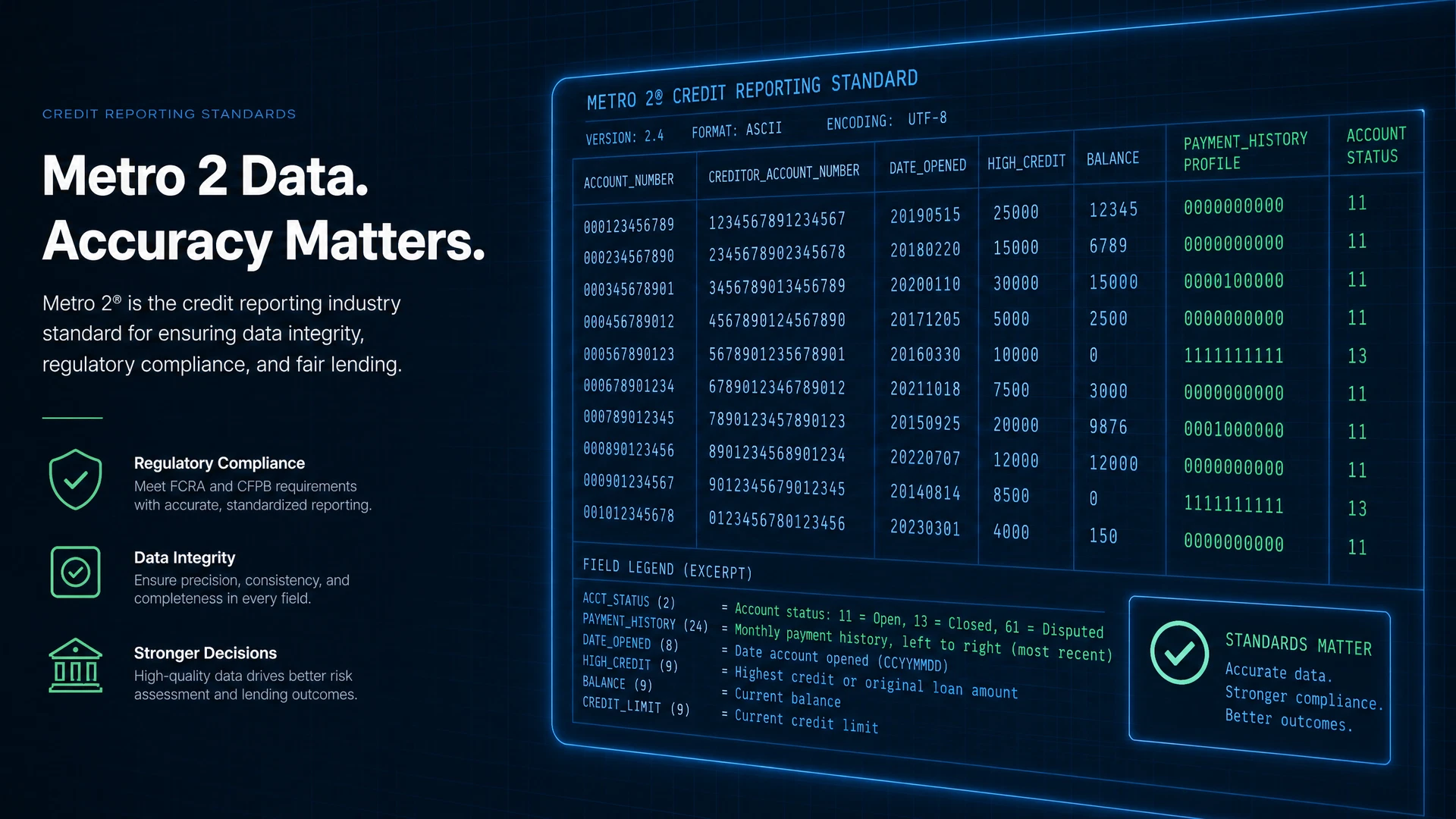
What Is Metro 2 Format?
Metro 2 is the standardized data format maintained by the Consumer Data Industry Association (CDIA) for reporting consumer and commercial credit account information to the credit bureaus. Every organization that furnishes credit data to Equifax, Experian, TransUnion, or Innovis must generate Metro 2 compliant files.
The Metro 2 format was introduced to replace the older Metro 1 format and provides a more structured, comprehensive framework for credit data submission. It defines exactly how account information, payment history, consumer identity data, and account status must be formatted for bureau acceptance.
Metro 2 File Structure
A Metro 2 file is organized as a sequential flat file. Every file must begin with a Header Record, contain one Base Segment per account, and end with a Trailer Record. Supplemental segments (J1, J2, K1–K4, L1, N1) are appended to the Base Segment they belong to, as applicable.
Header Record
The Header Record is the first record in every Metro 2 file. It identifies the data furnisher and the reporting period. It contains the reporter name, address, telephone number, program identifier (a unique alphanumeric identification number assigned by the consumer reporting agency), and the reporting cycle date. The Header Record does NOT contain a record count — that belongs in the Trailer Record.
Base Segment
The Base Segment is the core record for each account being reported. There is one Base Segment per account. It contains the primary consumer’s account number, identity information (name, SSN, date of birth, address), account type, portfolio type, date opened, credit limit or original loan amount, account status, payment history profile (24 months), scheduled and actual payment amounts, current balance, and ECOA code. Valid ECOA codes for the Base Segment are: 1 (Individual), 2 (Joint Contractual), 5 (Co-maker/Co-signer), 7 (Maker), T (Terminated), X (Deceased), Z (Delete Consumer).
J1 Segment — Associated Consumer (Same Address)
The J1 Segment is used to report an associated consumer who lives at the same address as the primary consumer on the account. It follows the Base Segment it belongs to. Use J1 for joint account holders, co-signers, or authorized users who share the same address as the primary borrower. Valid ECOA codes for J1: 1, 2, 3 (Authorized User), 5, 7, T, X, Z.
J2 Segment — Associated Consumer (Different Address)
The J2 Segment is used to report an associated consumer who lives at a different address from the primary consumer on the account. It follows the Base Segment it belongs to. Use J2 when the co-borrower, co-signer, or authorized user has a different mailing address than the primary account holder. Valid ECOA codes for J2: 1, 2, 3, 5, 7, T, W (Business/Commercial), X, Z.
K1 Segment — Original Creditor Name
The K1 Segment contains the name of the original credit grantor, including any partnering affinity name, and the creditor’s classification. It is reported by collection agencies, debt buyers, check guarantee companies, student loan guaranty agencies, the U.S. Department of Education, and the U.S. Treasury. Use K1 when the account has changed hands from the original creditor.
K2 Segment — Purchased From / Sold To
The K2 Segment contains the name of the company from which an account was purchased or the name of the company to which an account was sold. It is used to track portfolio transfers and ensures the bureau can link the account’s ownership history.
K3 Segment — Mortgage Information
The K3 Segment contains the Fannie Mae or Freddie Mac loan number associated with a mortgage account and/or the Mortgage Identification Number (MIN) assigned by MERS (Mortgage Electronic Registration Systems). It is required for mortgage accounts that have a GSE or MERS loan identifier.
K4 Segment — Specialized Payment Information
The K4 Segment contains additional account information on deferred payments or balloon payments. It is used when the standard payment fields in the Base Segment are insufficient to describe the payment structure of the account.
L1 Segment — Original Loan Amount / Scheduled Monthly Payment
The L1 Segment is used to report the original loan amount and scheduled monthly payment amount for installment loans when these values differ from what is captured in the Base Segment. It provides additional detail for loan-level reporting accuracy.
N1 Segment — Employment Information
The N1 Segment contains the consumer’s employment information, including employer name, address, and occupation. It is optional and used when employment data is available and relevant to the account being reported.
Trailer Record
The Trailer Record is the last record in every Metro 2 file. It contains the Total Base Records field, which is a count of Base Segments only — the Header and Trailer records are NOT included in this count. The bureau uses the Trailer Record to verify the file was received completely and without corruption. A missing or incorrect Trailer Record causes the entire file to be rejected.
Key Metro 2 Fields
Understanding the critical Metro 2 fields is essential for compliance:
Metro 2 Compliance Requirements
To be Metro 2 compliant, your data furnishing process must meet several requirements:
- All required fields must be populated with valid values as defined in the CDIA Credit Reporting Resource Guide (CRRG)
- Account status codes must accurately reflect the current state of each account
- Payment history must be updated monthly and accurately reflect the payment record
- Consumer identity information must match the data on file with the bureaus
- FCRA accuracy requirements must be met — you are responsible for the accuracy of the data you report
Who Needs Metro 2 Software?
Any organization that reports credit data to the bureaus needs Metro 2 software. This includes banks and credit unions, fintech lenders and BNPL providers, mortgage servicers, auto lenders, student loan servicers, rent reporters, collections agencies, and CDFI and nonprofit lenders.
How Hutchins Systems Metro 2 Software Helps
Hutchins Systems has been providing Metro 2 software since 1986. Our platform — available as a desktop application (Credit Time 2000©), cloud platform (MORFi), or REST API — handles the entire Metro 2 process: data mapping, compliance validation, stack processing, file generation, and bureau submission.
Our built-in compliance audit engine validates every record against the current CDIA CRRG specifications before generating the submission file, ensuring your data meets bureau requirements before it leaves your system.
Ready to Simplify Metro 2 Compliance?
Book a free consultation with our Metro 2 experts. We have been helping organizations like yours since 1986.
Book a Free Call